Netflix is a streaming service that offers unlimited content such as movies, documentaries, and TV shows on numerous devices. It offers a variety of premium content for a reasonable price. However, if Netflix no longer satisfies you in any way then you can cancel your Netflix subscription anytime you want. How to cancel your Netflix account?

There is no cancellation fee for ending your subscription so canceling this service is not a problem at all. This article shows you how to cancel your Netflix subscription from different devices like Android, iOS, and TV-Browser.
Follow this step-by-step guide to prevent any future charges from Netflix, which is a great way to save money or just get rid of Netflix if you no longer use it. Before we get started, you should know that this can only be done in a browser. It can not be done in the app on your phone or a tablet. You have to load it in a browser.
How To Cancel Your Netflix Subscription on a Desktop Computer
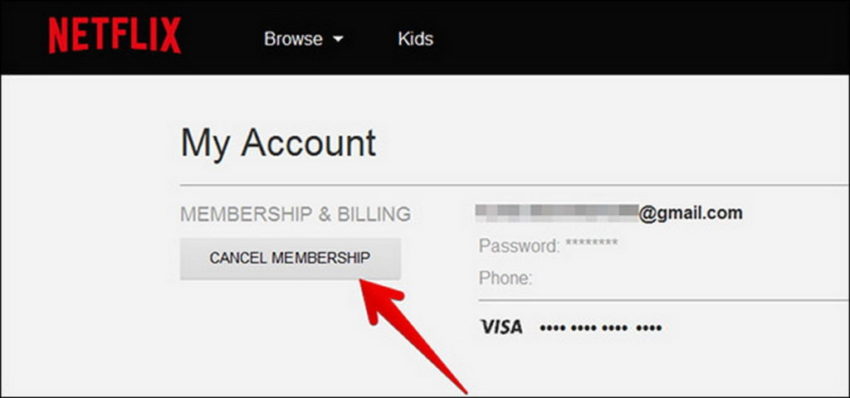
Canceling your Netflix subscription is not a hard job. Follow these easy steps to cancel your Netflix Subscription on a computer, or laptop.
- Go to Netflix.com. Make sure you log in to your account.
- Once you log in to your account, all you need to do is hover over your profile image or your name at the top right corner and then select ‘Account’.
- As the account loads, you’ll find a “cancel membership” option right under the ‘membership and billing’ option on the screen.
- Once you click on cancel membership, a double confirmation is needed. All you need to do is select ‘finish cancellation’.
- This will cancel your Netflix account.
- You will also have the option to download your plan to save a little bit of money that’ll lower your monthly cost.
How To Cancel Your Netflix Subscription on Android and iOS

Follow these steps to cancel your Netflix account using your mobile phone (Android or iOS).
- To begin, open your browser.
- Log onto Netflix.com. Tap The Sign In button at the upper right corner of the screen.
- To log in, enter your user name and password. When ready, tap sign in.
- Tap the menu icon at the upper right corner of the screen. Click on ‘account’ to open your account settings.
- Scroll down a little bit and then tap cancel membership.
- If you really wish to cancel your subscription, tap finish cancellation to confirm.
- Once your current plan expires, you’ll no longer be charged for your monthly dues.
- That’s how you cancel your Netflix subscription.
How To Cancel Your Netflix Subscription on TV-Browser/ Apple TV / iTunes
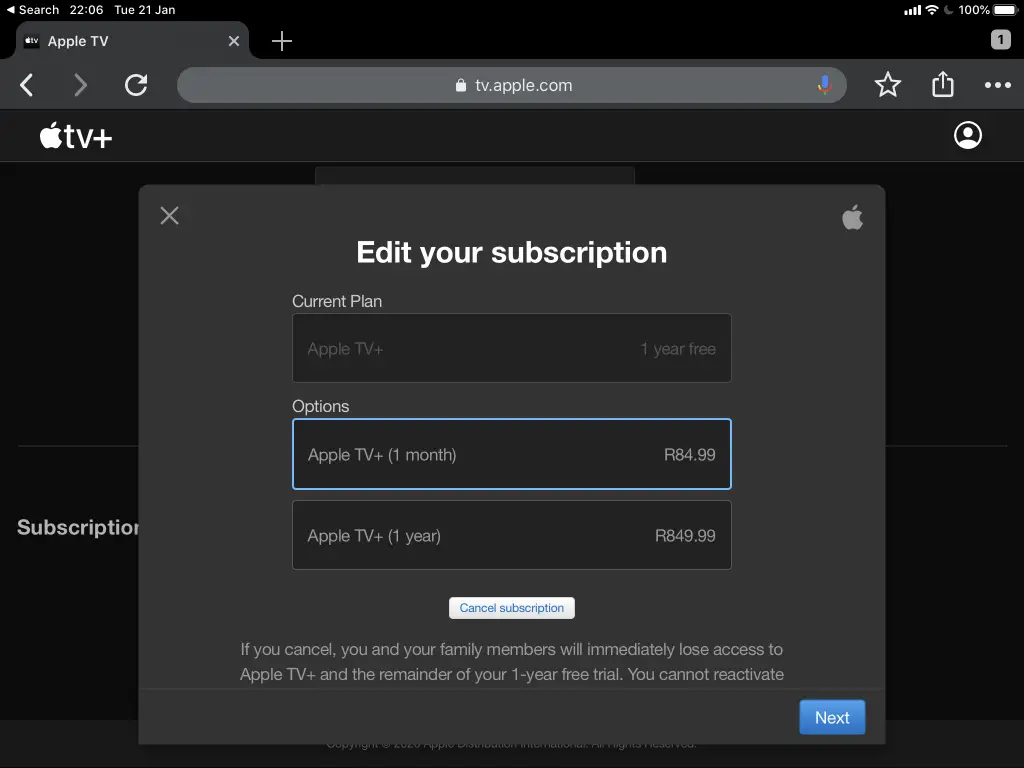
If you’re using Netflix via TV-Browser, Apple TV, or are using iTunes to pay Netflix bills, then follow these simple steps to cancel your Netflix subscription through TV-Browser, iTunes, or Apple TV.
- Go to the Netflix app.
- In the bottom menu, tap on the ‘more’ option.
- Now tap ‘Account’.
- You’ll have to scroll a little down. Now you can see the ‘Cancel Membership’ option on your screens.
- You’ll be redirected to TV-Browser, iTunes, or Apple TV. Here you need to sign in to your Netflix account to continue.
- A list of your subscriptions will appear. Click on Netflix subscription.
- Tap ‘Cancel Subscription. Tap confirm.
Things To Know After Cancelling Netflix Subscription
1.What Happens If You Sign Back Again into Netflix?
If you have canceled your subscription within 10 months – You will be able to sign in again to your previous account. All your previous preferences and viewed activity will be accessible to you.
If you have canceled your subscription more than 10 months ago – You will not be able to sign in to your previous account. You’ll have to create a new account now. All your preferences and previously viewed activities will be deleted after 10 months. You’ll have to start fresh.
After Cancelling the Netflix Subscription, Can I still watch for the rest of the month?
Yes, you can continue watching until your current payment expires. Netflix allows you to use your current pack till the date it expires. Suppose you cancel your subscription on 15th June and your current plan is valid till 30th June. So, you can keep watching content on Netflix until 29th June. After that, you’ll have to renew your plan.
Best Netflix Alternatives to stream movies and shows
If you feel Netflix is not for you, don’t worry. Here are the best Netflix alternatives that you can try for a great streaming experience:
- Amazon Prime Video – Subscription Price: $99/year
- Hulu – Subscription price: $7.99/month
- HBO Now – Subscription price: $14.99/month
Hope now you are clear with the steps on How to Cancel your Netflix Subscription. Follow these easy methods mentioned above and deactivate your monthly subscription on Netflix.
Featured Image Credits: Delete. wiki